

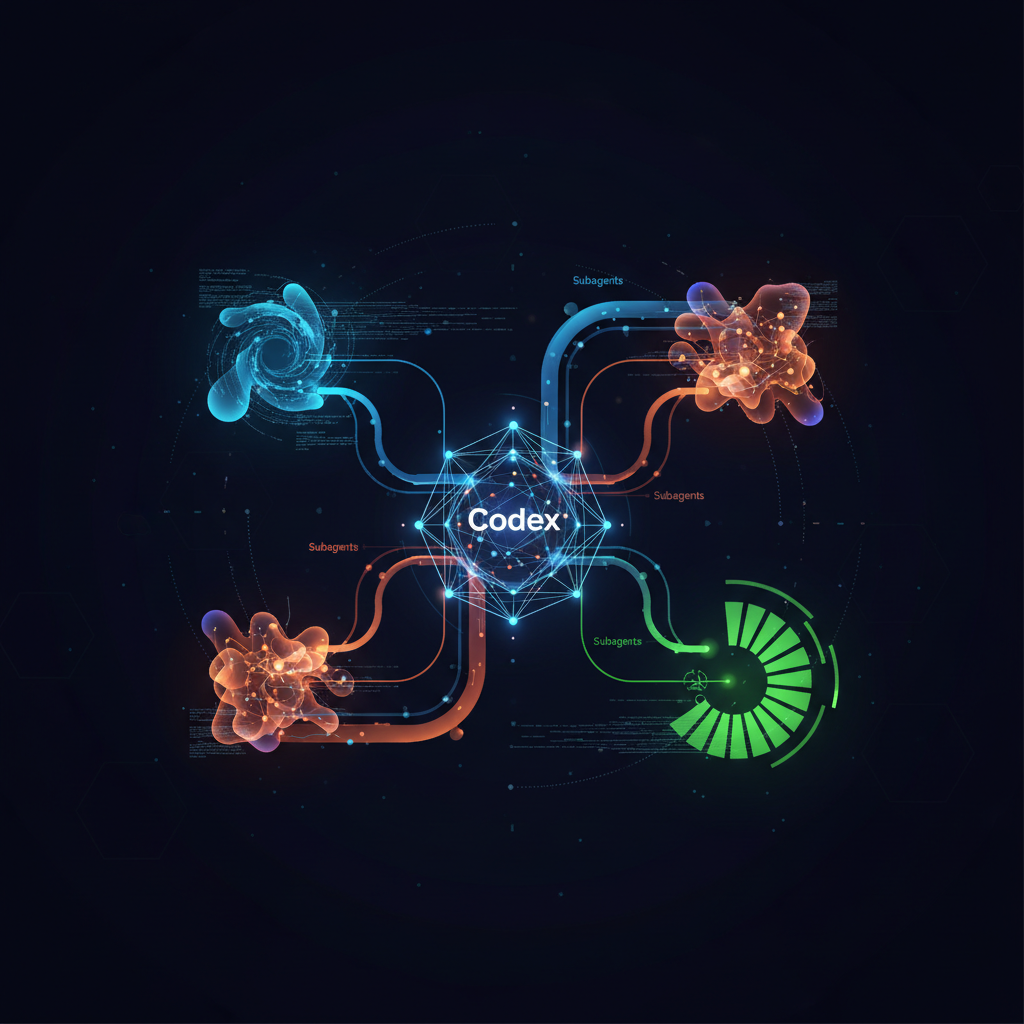
I would like to review the following points on the current PR (this branch vs main). Spawn one agent per point, wait for all of them, and summarize the result for each point.
- Security issue
- Code quality
- Bugs
- Race conditions
- Test flakiness
- Maintainability of the code
इस परिदृश्य में, कोडेक्स संभवतः छह अलग-अलग सबएजेंट लॉन्च करेगा, प्रत्येक सूचीबद्ध समीक्षा बिंदुओं में से एक में विशेषज्ञता रखेगा। प्रत्येक एजेंट द्वारा अपने विश्लेषण को पूरा करने के बाद, कोडेक्स निष्कर्षों को एक एकल, संरचित रिपोर्ट में संकलित करेगा, जो पुल अनुरोध का एक समग्र अवलोकन प्रदान करेगा। यह विशेष एआई संस्थाओं के बीच कार्यभार वितरित करके प्राप्त दक्षता का उदाहरण है।

## अपने सबएजेंट इकोसिस्टम का प्रबंधन और सुरक्षित करना

सबएजेंटों के साथ काम करते समय प्रभावी प्रबंधन और मजबूत सुरक्षा प्रमुख विचार हैं। कोडेक्स सबएजेंट गतिविधियों की देखरेख करने और उनके सैंडबॉक्स वातावरण के भीतर सुरक्षित संचालन सुनिश्चित करने के लिए उपकरण और तंत्र प्रदान करता है।

इंटरैक्टिव CLI सत्रों में, डेवलपर्स `/agent` कमांड का उपयोग सक्रिय एजेंट थ्रेड्स के बीच स्विच करने, चल रही प्रक्रियाओं का निरीक्षण करने, या किसी विशेष सबएजेंट को चलाने के लिए कर सकते हैं। यह दानेदार नियंत्रण व्यक्तिगत एजेंट प्रगति के वास्तविक समय समायोजन और निगरानी की अनुमति देता है। आप संसाधनों और फोकस का प्रबंधन करने के लिए कोडेक्स से एक चल रहे सबएजेंट को रोकने या पूर्ण किए गए थ्रेड्स को बंद करने के लिए भी स्पष्ट रूप से कह सकते हैं।

सुरक्षा सर्वोपरि है, और सबएजेंट मुख्य कोडेक्स सत्र से वर्तमान सैंडबॉक्स नीति को विरासत में प्राप्त करते हैं। यह सुनिश्चित करता है कि उनके संचालन पूर्वनिर्धारित सुरक्षा और पहुंच नियमों का पालन करते हैं। जब निष्क्रिय एजेंट थ्रेड्स से अनुमोदन अनुरोध उत्पन्न होते हैं, खासकर इंटरैक्टिव CLI सत्रों में, तो कोडेक्स बुद्धिमानी से इन्हें उपयोगकर्ता के सामने लाता है। एक अनुमोदन ओवरले स्रोत थ्रेड को इंगित करेगा, जिससे आप अनुरोध को स्वीकृत करने, अस्वीकृत करने, या जवाब देने से पहले उस थ्रेड को खोलने और निरीक्षण करने के लिए 'o' दबा सकते हैं। यह अंधा अनुमोदन को रोकता है और डेवलपर पर्यवेक्षण बनाए रखता है।

गैर-इंटरैक्टिव प्रवाह या उन स्थितियों के लिए जहां एक नया अनुमोदन सामने नहीं लाया जा सकता है, नए अनुमोदन की आवश्यकता वाली कोई भी कार्रवाई स्वचालित रूप से विफल हो जाएगी, जिसमें कोडेक्स त्रुटि को मूल वर्कफ़्लो में वापस रिपोर्ट करेगा। यह विफल-सुरक्षित तंत्र स्वचालित संदर्भों में अनधिकृत कार्रवाइयों को रोकता है। इसके अलावा, कोडेक्स मूल टर्न के लाइव रनटाइम ओवरराइड्स—जैसे `/approvals` या `--yolo` ध्वज के माध्यम से किए गए परिवर्तन—को उत्पन्न बच्चों पर फिर से लागू करता है, जिससे एजेंट पदानुक्रम में सुसंगत सुरक्षा स्थिति सुनिश्चित होती है। उन्नत उपयोगकर्ताओं के लिए, व्यक्तिगत [कस्टम एजेंटों](#defining-custom-subagents-for-tailored-tasks) के लिए सैंडबॉक्स कॉन्फ़िगरेशन को ओवरराइड करना भी संभव है, जिससे उनकी अनुमतियों पर बारीक नियंत्रण हो सके, उदाहरण के लिए, एक एजेंट को 'केवल-पठन' के रूप में चिह्नित करके।

## विशेष कार्यों के लिए कस्टम सबएजेंटों को परिभाषित करना

जबकि कोडेक्स कई अंतर्निहित एजेंट प्रदान करता है, जैसे `डिफ़ॉल्ट` सामान्य-उद्देश्यीय फॉलबैक, निष्पादन-केंद्रित कार्यों के लिए `worker`, और भारी-पठन कोडबेस अन्वेषण के लिए `explorer`, सबएजेंट सिस्टम की वास्तविक शक्ति इसकी विस्तारशीलता में निहित है। डेवलपर्स अत्यधिक विशिष्ट आवश्यकताओं को पूरा करने के लिए अपने स्वयं के **कस्टम एजेंटों** को परिभाषित कर सकते हैं, अद्वितीय परियोजना संदर्भों के लिए एआई व्यवहार को अनुकूलित कर सकते हैं।

कस्टम एजेंटों को स्टैंडअलोन TOML फ़ाइलों का उपयोग करके परिभाषित किया जाता है। इन फ़ाइलों को व्यक्तिगत एजेंटों के लिए `~/.codex/agents/` में या परियोजना-विशिष्ट एजेंटों के लिए `.codex/agents/` में रखा जा सकता है। प्रत्येक TOML फ़ाइल अनिवार्य रूप से एक कॉन्फ़िगरेशन परत के रूप में कार्य करती है, जिससे कस्टम एजेंट उन सेटिंग्स को ओवरराइड कर सकते हैं जो अन्यथा मूल सत्र से विरासत में मिली होतीं। इसमें उपयोग किए गए एआई मॉडल, इसके तर्क प्रयास, सैंडबॉक्स मोड, और यहां तक कि विशिष्ट कौशल कॉन्फ़िगरेशन जैसे महत्वपूर्ण पैरामीटर शामिल हैं।

प्रत्येक स्टैंडअलोन कस्टम एजेंट फ़ाइल को निम्नलिखित फ़ील्ड *परिभाषित* करनी चाहिए:

*   **`name`**: एजेंट का अद्वितीय पहचानकर्ता, जिसका उपयोग कोडेक्स इसे उत्पन्न करने या संदर्भित करते समय करता है।
*   **`description`**: मानव-पठनीय मार्गदर्शन जो कोडेक्स को यह समझने में मदद करता है कि इस एजेंट को कब तैनात करना है।
*   **`developer_instructions`**: निर्देशों का मुख्य सेट जो एजेंट के व्यवहार और परिचालन तर्क को निर्धारित करता है।

वैकल्पिक फ़ील्ड जैसे `nickname_candidates`, `model`, `model_reasoning_effort`, `sandbox_mode`, `mcp_servers`, और `skills.config` को भी शामिल किया जा सकता है। यदि छोड़ा जाता है, तो ये सेटिंग्स मूल सत्र से विरासत में मिलेंगी, जिससे कॉन्फ़िगरेशन सरल हो जाएगा जहां डिफ़ॉल्ट स्वीकार्य हैं। प्रॉम्प्ट इंजीनियरिंग में सर्वोत्तम प्रथाओं के लिए, जो सीधे एजेंट निर्देशों को प्रभावित करती हैं, [कोडेक्स प्रॉम्प्टिंग गाइड](/hi/codex-prompting-guide) जैसे संसाधनों का संदर्भ लें।

कस्टम एजेंट के लिए `name` फ़ील्ड निश्चित पहचानकर्ता है। जबकि फ़ाइल नाम को एजेंट नाम से मिलाना एक सामान्य और अनुशंसित परंपरा है, TOML फ़ाइल के भीतर `name` फ़ील्ड सत्य का अंतिम स्रोत है। `nickname_candidates` फ़ील्ड उपयोगकर्ता अनुभव के लिए एक उपयोगी अतिरिक्त है, जो कोडेक्स को उत्पन्न एजेंटों को अधिक पठनीय प्रदर्शन नाम असाइन करने की अनुमति देता है, जो जटिल बहु-एजेंट परिदृश्यों में विशेष रूप से सहायक होता है।

## वैश्विक सेटिंग्स और उन्नत सबएजेंट कॉन्फ़िगरेशन

व्यक्तिगत कस्टम एजेंट परिभाषाओं से परे, कोडेक्स सबएजेंट वर्कफ़्लो के व्यापक व्यवहार को प्रबंधित करने के लिए वैश्विक कॉन्फ़िगरेशन सेटिंग्स प्रदान करता है। ये सेटिंग्स आमतौर पर आपकी मुख्य कॉन्फ़िगरेशन फ़ाइल में `[agents]` अनुभाग के तहत पाई जाती हैं, जो संसाधन आवंटन और परिचालन मापदंडों पर केंद्रीकृत नियंत्रण प्रदान करती हैं।

यहां मुख्य वैश्विक सबएजेंट सेटिंग्स का विवरण दिया गया है:

| फ़ील्ड | प्रकार | आवश्यक | उद्देश्य |
| :--------------------------- | :----- | :------- | :------------------------------------------------------------------------------------------------------------------------------------------------------------------------------------------------ |
| `agents.max_threads`         | संख्या | नहीं      | समवर्ती खुले एजेंट थ्रेड्स की संख्या को सीमित करता है। यदि अनसेट है तो डिफ़ॉल्ट रूप से `6` होता है।                                                                                                                         |
| `agents.max_depth`           | संख्या | नहीं      | उत्पन्न एजेंटों की नेस्टिंग गहराई को सीमित करता है (रूट सत्र 0 से शुरू होता है)। डिफ़ॉल्ट रूप से `1` होता है। टोकन उपयोग और विलंबता का प्रबंधन करने के लिए तत्काल बच्चों से परे पुनरावर्ती प्रतिनिधिमंडल को रोकता है। |
| `agents.job_max_runtime_seconds` | संख्या | नहीं      | `spawn_agents_on_csv` नौकरियों के लिए प्रति कार्यकर्ता डिफ़ॉल्ट टाइमआउट सेट करता है। यदि अनसेट है, तो डिफ़ॉल्ट रूप से `1800` सेकंड (30 मिनट) होता है।                                                                             |

`agents.max_threads` सेटिंग, जो डिफ़ॉल्ट रूप से `6` है, एक साथ संचालित होने वाले सबएजेंटों की संख्या को सीमित करके अत्यधिक संसाधन खपत के खिलाफ एक सुरक्षा प्रदान करती है। `agents.max_depth` सेटिंग, जो डिफ़ॉल्ट रूप से `1` है, विशेष रूप से महत्वपूर्ण है। जबकि गहरी नेस्टिंग जटिल प्रतिनिधिमंडल के लिए आकर्षक लग सकती है, इस मान को बढ़ाने से बार-बार फैन-आउट के कारण टोकन उपयोग, विलंबता और स्थानीय संसाधन खपत में महत्वपूर्ण वृद्धि हो सकती है। जब तक एक विशिष्ट पुनरावर्ती प्रतिनिधिमंडल पैटर्न बिल्कुल आवश्यक न हो और सावधानीपूर्वक प्रबंधित न किया जाए, तब तक डिफ़ॉल्ट को बनाए रखने की आमतौर पर सिफारिश की जाती है।

कस्टम एजेंट फ़ाइलें अन्य समर्थित `config.toml` कुंजियों को भी शामिल कर सकती हैं, जो उनकी कॉन्फ़िगरेशन क्षमता को अनिवार्य फ़ील्ड से आगे बढ़ाती हैं। यह मॉड्यूलर और स्तरित कॉन्फ़िगरेशन दृष्टिकोण सुनिश्चित करता है कि डेवलपर्स के पास अपने एआई एजेंटों पर बारीक नियंत्रण है, जिससे वे अपनी विशिष्ट विकास आवश्यकताओं के अनुरूप प्रदर्शन, लागत और सुरक्षा के लिए अनुकूलन कर सकते हैं। इन शक्तिशाली सबएजेंट क्षमताओं को समझकर और उनका लाभ उठाकर, डेवलपर्स एआई-सहायता प्राप्त कोडिंग की सीमाओं को आगे बढ़ा सकते हैं और अपने विकास वर्कफ़्लो को महत्वपूर्ण रूप से बढ़ा सकते हैं।
अक्सर पूछे जाने वाले प्रश्न
What are Codex subagents and how do they enhance AI development workflows?
Codex subagents are specialized AI agents that can be spawned in parallel by a primary Codex instance to tackle complex, multi-faceted tasks. They significantly enhance AI development workflows by enabling the division of labor across different agents, each focusing on a specific aspect of a task. This parallel processing capability is particularly beneficial for computationally intensive or intricate operations like comprehensive codebase exploration, implementing large-scale multi-step feature plans, or conducting extensive code reviews. By distributing the workload, subagents help in accelerating development cycles, improving the quality of outputs, and managing complexity more effectively than a single agent could.
How does Codex manage the orchestration of multiple subagents?
Codex excels at orchestrating subagent workflows by managing the entire lifecycle from spawning new agents to consolidating their results. When a complex task is initiated, Codex can intelligently route follow-up instructions to the appropriate subagents, monitor their progress, and await the completion of all requested tasks. Once all subagents have finished their assignments and returned their respective outputs, Codex then aggregates these results into a unified, consolidated response. This seamless orchestration ensures that even highly parallelized tasks remain coherent and deliver a comprehensive solution, simplifying complex project management for developers.
What are the security considerations and controls for Codex subagents?
Security for Codex subagents is a critical aspect, with several mechanisms in place to ensure safe operation. Subagents inherently inherit the current sandbox policy of the parent session, ensuring a consistent security posture. For interactive command-line interface (CLI) sessions, approval requests stemming from inactive agent threads can be surfaced to the user, allowing for informed decisions before actions are taken. In non-interactive environments or when immediate approval isn't feasible, actions requiring new approval will fail, preventing unauthorized operations. Developers can also apply runtime overrides for sandbox and approval choices, and even configure individual custom agents with specific sandbox modes, such as 'read-only', for fine-grained control over their operational scope and access.
How can developers create and utilize custom agents within Codex?
Developers can define custom agents in Codex to tailor AI behavior to specific needs. This is achieved by creating standalone TOML configuration files under `~/.codex/agents/` for personal agents or `.codex/agents/` for project-scoped ones. Each TOML file defines a single custom agent and acts as a configuration layer, allowing developers to override default settings like model choice, reasoning effort, or sandbox mode. Essential fields such as 'name', 'description', and 'developer_instructions' are mandatory, guiding the agent's identity and core behavior. This flexibility enables the creation of highly specialized agents for unique development tasks, further enhancing the adaptability of the Codex system.
What global settings are available for managing subagent behavior in Codex?
Codex provides several global settings to manage subagent behavior, primarily located under the `[agents]` section in the configuration file. Key settings include `agents.max_threads`, which controls the maximum number of concurrent open agent threads (defaulting to 6); `agents.max_depth`, which limits the nesting depth of spawned agents (defaulting to 1 to prevent excessive recursion and resource consumption); and `agents.job_max_runtime_seconds`, which sets a default timeout for workers in `spawn_agents_on_csv` jobs (defaulting to 1800 seconds if not specified). These settings are crucial for balancing performance, resource usage, and control over complex agent workflows, helping developers prevent unintended fan-out and manage token consumption effectively.
What are the primary advantages of using subagents for complex tasks?
The primary advantages of using subagents for complex tasks within Codex lie in their ability to parallelize and specialize operations. By breaking down a large task into smaller, manageable subtasks and assigning each to a specialized agent, development teams can achieve significant speed improvements and higher quality outcomes. For instance, in a large codebase review, one subagent might focus on security vulnerabilities, another on code quality, and a third on performance bottlenecks simultaneously. This concurrent processing not only accelerates the overall task but also allows for deeper, more focused analysis in each area, leading to more robust and comprehensive solutions than a single, monolithic AI agent could provide.
अपडेट रहें
नवीनतम AI समाचार अपने इनबॉक्स में पाएं।